Oh and doesn't this Thing cover a lot of territory? Jumping right in...
I don't feel as if email is draining away all my time and energy, but I think that's because I don't get much email in the first place. Most of my coworkers, if they go away for even a day or two, spend much of their first day back slogging through their inboxes. Me, I have to be gone for a week before that becomes a noticeable problem. I don't feel out of touch; it's just that my work-related mailing lists don't generate much email. I think email has slightly improved my productivity, although more in terms of quality than quantity. I'm much more likely to fire off an email to someone than to try to call that person--I find it easier to express myself in writing, and there's that ability to attach files (better than having to print out a file and mail it).
We have begun experimenting with instant messaging. We're considering offering IM as a way for patrons to ask reference questions, although we're going to thoroughly test the system first and see if we have enough staff to handle this. We're using Google Talk for these first tests because many people on staff already have Google accounts and because it's web-based so we don't have to get permission from our IT department to use it, but we're thinking about using Meebo if we decide to IM with the public. I must admit that the two of us who tried it yesterday were less than impressed. We couldn't see much difference between using Google Talk and using email, except that at least we know when we get new emails, and the web form of Google Talk didn't let you know when the other party said anything. You had to be staring right at the box to know, which meant you pretty much couldn't get anything else done.
Of course, an IM conversation between two coworkers might not be anything like a reference interaction between a librarian and a patron. Although this may not make things easier. One of the readings describes IM reference as "a sped-up email transaction." Fine, but some answers will take time to research, no matter which medium is used to ask the question. How patient will an IMing patron be if the librarian needs ten minutes or so to go track down the answer? If the librarian comes up with the answer only to come back to the desk and find that the the patron is offline, will the librarian feel as if she's wasted her time? If it had been an email transaction, she could just send the answer along anyway, but as I understand IM, both parties need to be present. "Speed is important but don't feel rushed," burbled that same article. Yeah, right.
Text messaging? One thing at a time. It's not a priority for our library at this time.
We've been participating in web conferencing for years now. It's definitely an improvement over driving all over the Twin Cities (or Minnesota) for meetings that only take an hour or so. The only problem I've experienced with web conferencing is that if you're in a cubicle instead of an office, it's difficult to participate without bothering your neighbors.
Wednesday, July 2, 2008

Thursday, June 26, 2008
in-between thing: blog lists
Blogger has been highlighting their new Blog List feature for some time; I've only just now gotten around to checking it out. I'm playing with it partially for the experience, partially to make it really easy to find the blogs I've chosen to list, and partially just because I can. Find my blog, find my co-workers'.
If the State Law Library had a blog, I suspect we could list other blogs we thought patrons might find useful. What those would be, I have no idea, but I bet there are some good ones out there somewhere.
If the State Law Library had a blog, I suspect we could list other blogs we thought patrons might find useful. What those would be, I have no idea, but I bet there are some good ones out there somewhere.
Thing 6: Online Image Generators
I will resist the urge to name this post Flickr III, but playing around with the online image generators was a lot like playing around with the Flickr toys. But this time I'm getting glimmers of ideas of ways that we could use these at work. For example, the State Law Library hosts the occasional series of lunchtime showcases. It may be possible to use some of these images when we advertise these.
As requested, one trading card:

I don't think I'm going to get very far with Toon Doo. I clicked on the link and managed to look at their page for all of about ten seconds before the chaotic layout drove me away. I thought Image Chef was more fun (more navigable, anyway), and came up with these images:

:)
As requested, one trading card:

I don't think I'm going to get very far with Toon Doo. I clicked on the link and managed to look at their page for all of about ten seconds before the chaotic layout drove me away. I thought Image Chef was more fun (more navigable, anyway), and came up with these images:

(from our motto First Rung on the Ladder of Justice)

We're a library. These are books. It had to be done.

:)
Saturday, June 21, 2008
Thing 5: Flickr (II)
Yes, the Flickr toys were fun to play with. I think I may be able to find a use for Palette Generator (from Big Huge Labs). Palette Generator analyzes a photo and then generates color swatches from that photo. If I could just get an accurate-ish color printout of those swatches, I could hie off to a yarn store and see if I really could make a sweater using the colors of a gorgeous landscape. I can't figure out how to put a sample picture and its swatches into this blog, but I'll toss in a jigsaw puzzle instead (also fun; even fewer ideas for how to use it practically).
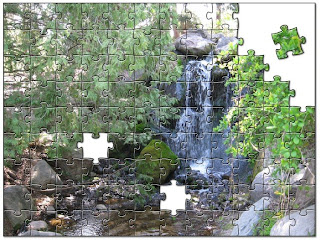
But I digress.
I'm not bubbling over with job-related applications for these toys. It's the nature of our library, in part. Most of our patrons don't come to us for entertainment or even casual learning. For those in the Judiciary, their visits are probably work-related; for the general public, I'm guessing a mood of desperation is more likely. We do host the occasional library event; perhaps by the time the next one rolls around, I'll have played more with Flickr and its accessories and may have ideas of how to incorporate something.

But I digress.
I'm not bubbling over with job-related applications for these toys. It's the nature of our library, in part. Most of our patrons don't come to us for entertainment or even casual learning. For those in the Judiciary, their visits are probably work-related; for the general public, I'm guessing a mood of desperation is more likely. We do host the occasional library event; perhaps by the time the next one rolls around, I'll have played more with Flickr and its accessories and may have ideas of how to incorporate something.
Tuesday, June 17, 2008
Thing 4: Flickr (I)
It is not that I am completely ignorant of the features of Web 2.0. In some cases, I have played around with them and found them not to my taste. Flickr would be one of these cases, hence the delay in tackling Thing 4.
One of the "Things" I play with in the Web 2.0 world is Ravelry, a sort of LibraryThing for knitters and crocheters. Ravelry doesn't have a photos feature of its own; it piggybacks off of Flickr. So that's mainly why I have a Flickr account: it holds the photos themselves, and then I describe and tag and comment on those photos through Ravelry, which is much better suited to that purpose.
I haven't figured out what else I would do with Flickr personally. I suppose I could put vacation photos up (note to self: must take a vacation sometime). This would probably be the socially acceptable way to show vacation photos: interested friends could go look, while the uninterested wouldn't have to tell me to my face that they didn't want to--they could just not look. Hmm. Okay, okay, that has possibilities. But I'm still not convinced I'm a Flickr devotee!
That said, how to use Flickr in a library context? Some time ago, a former coworker of mine had the idea of putting together a tour for our library using Flickr, which we did. For the sake of this exercise, a current coworker who's doing the 23 Things as well had the idea of freshening up that tour. So, a new photo here, a revised comment there, and our refashioned tour is ready for visitors.
One of the "Things" I play with in the Web 2.0 world is Ravelry, a sort of LibraryThing for knitters and crocheters. Ravelry doesn't have a photos feature of its own; it piggybacks off of Flickr. So that's mainly why I have a Flickr account: it holds the photos themselves, and then I describe and tag and comment on those photos through Ravelry, which is much better suited to that purpose.
I haven't figured out what else I would do with Flickr personally. I suppose I could put vacation photos up (note to self: must take a vacation sometime). This would probably be the socially acceptable way to show vacation photos: interested friends could go look, while the uninterested wouldn't have to tell me to my face that they didn't want to--they could just not look. Hmm. Okay, okay, that has possibilities. But I'm still not convinced I'm a Flickr devotee!
That said, how to use Flickr in a library context? Some time ago, a former coworker of mine had the idea of putting together a tour for our library using Flickr, which we did. For the sake of this exercise, a current coworker who's doing the 23 Things as well had the idea of freshening up that tour. So, a new photo here, a revised comment there, and our refashioned tour is ready for visitors.
Wednesday, June 11, 2008
in-between thing: facebook
Make that 23 Things Not Necessarily in Any Particular Order on a Stick. Well before Thing 20 appeared on the horizon, I joined Facebook. Blame peer pressure for this one. One minute, it looked like I could ignore Facebook indefinitely and not miss a thing by doing so. Then within the space of a week, I learned that several members of a mailing list I'm on had joined, that a close friend had just joined, that another close friend had been a member for months...finally curiosity won out.
Does it live up to the hype? I'm not sure yet. Getting constant updates on the status of people I'm not all that close to feels pretty unnecessary. But then, those same updates on my friends' statuses let me feel a little closer. Some of the applications amuse me--many seem like complete wastes of time and of my profile page space. It's probably good that I signed on early. By the time Thing 20 rolls around, I may have a much better sense of how Facebook and I will relate.
Does it live up to the hype? I'm not sure yet. Getting constant updates on the status of people I'm not all that close to feels pretty unnecessary. But then, those same updates on my friends' statuses let me feel a little closer. Some of the applications amuse me--many seem like complete wastes of time and of my profile page space. It's probably good that I signed on early. By the time Thing 20 rolls around, I may have a much better sense of how Facebook and I will relate.
Wednesday, June 4, 2008
Thing 3: RSS
Finally: something 2.0-ish that I was already familiar with. My first foray into the world of RSS was with Sage, a Firefox add-on. I suppose it worked decently enough--I used it for months and I still haven't uninstalled it--but I never really was all that fond of it either. Sage mostly just gives you the text of whatever it is you've linked to, and after a while I missed the bells and whistles of people's sites. And it wasn't much use at all for keeping up with a webcomic!
A number of months ago, I created a Google Reader account. The problem here was that even though I have a link to Google Reader in Firefox's Bookmarks toolbar, which is about as much in my face as you can get, I never get around to actually clicking on the link.
Lately, I've been doing RSS through my various email programs. Both Outlook and Thunderbird can handle RSS feeds. This is proving to be the most satisfactory solution yet. Every time I go online I check my email, and both programs just check RSS feeds automatically while looking for new mail. And once I see that there's something new to read, I'm usually curious enough to go and read it.
I mostly just happen upon RSS feeds that I want to pursue. Funny: in the end, there just aren't that many sites I need to be constantly on top of.
A number of months ago, I created a Google Reader account. The problem here was that even though I have a link to Google Reader in Firefox's Bookmarks toolbar, which is about as much in my face as you can get, I never get around to actually clicking on the link.
Lately, I've been doing RSS through my various email programs. Both Outlook and Thunderbird can handle RSS feeds. This is proving to be the most satisfactory solution yet. Every time I go online I check my email, and both programs just check RSS feeds automatically while looking for new mail. And once I see that there's something new to read, I'm usually curious enough to go and read it.
I mostly just happen upon RSS feeds that I want to pursue. Funny: in the end, there just aren't that many sites I need to be constantly on top of.
Subscribe to:
Posts (Atom)